Built for baseball & softball

Capture every pitch. Every swing.

GameClip AI turns your iPhone into a smarter baseball and softball camera—helping players, parents, coaches, teams, and recruiters capture, organize, analyze, and share the moments that matter.

Available exclusively on the iOS App Store
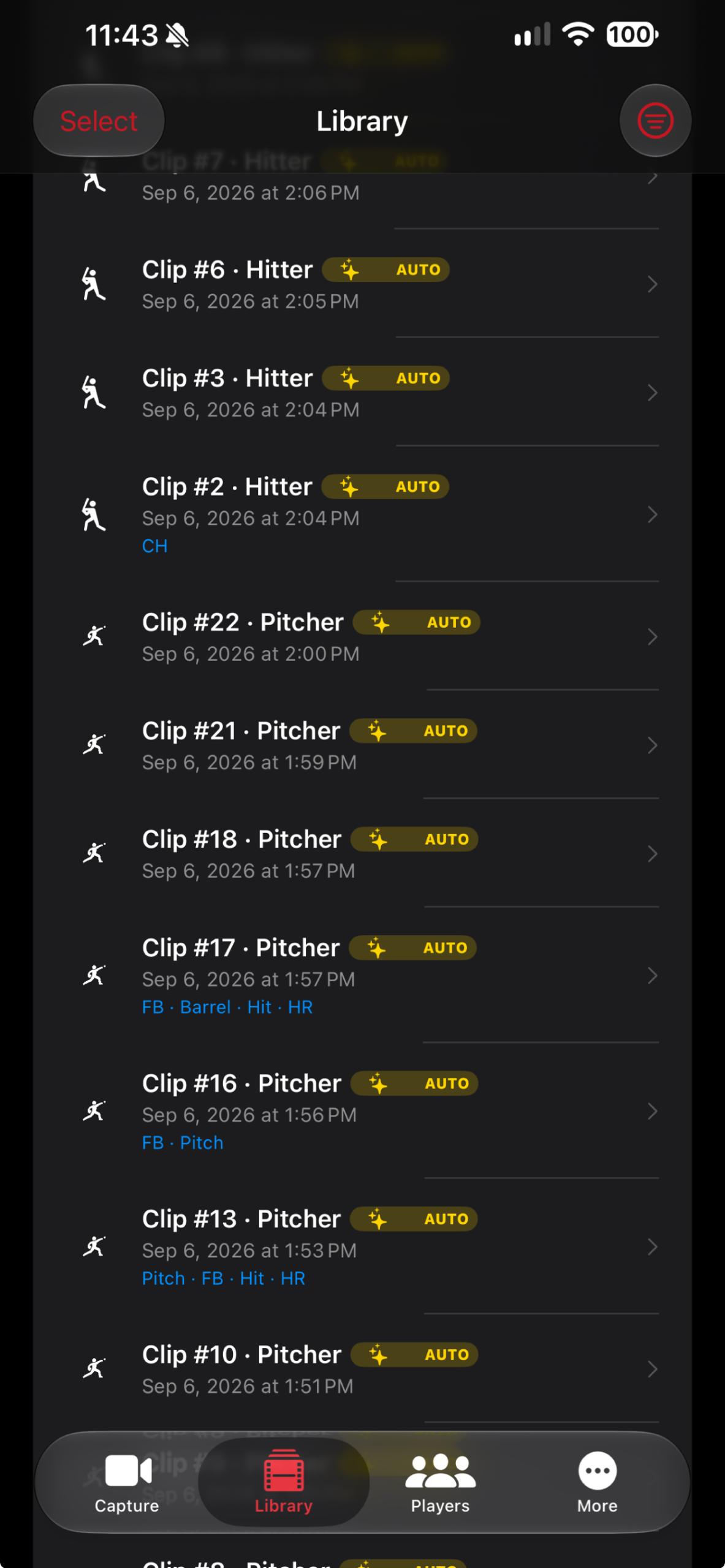
GameClip AI clip library
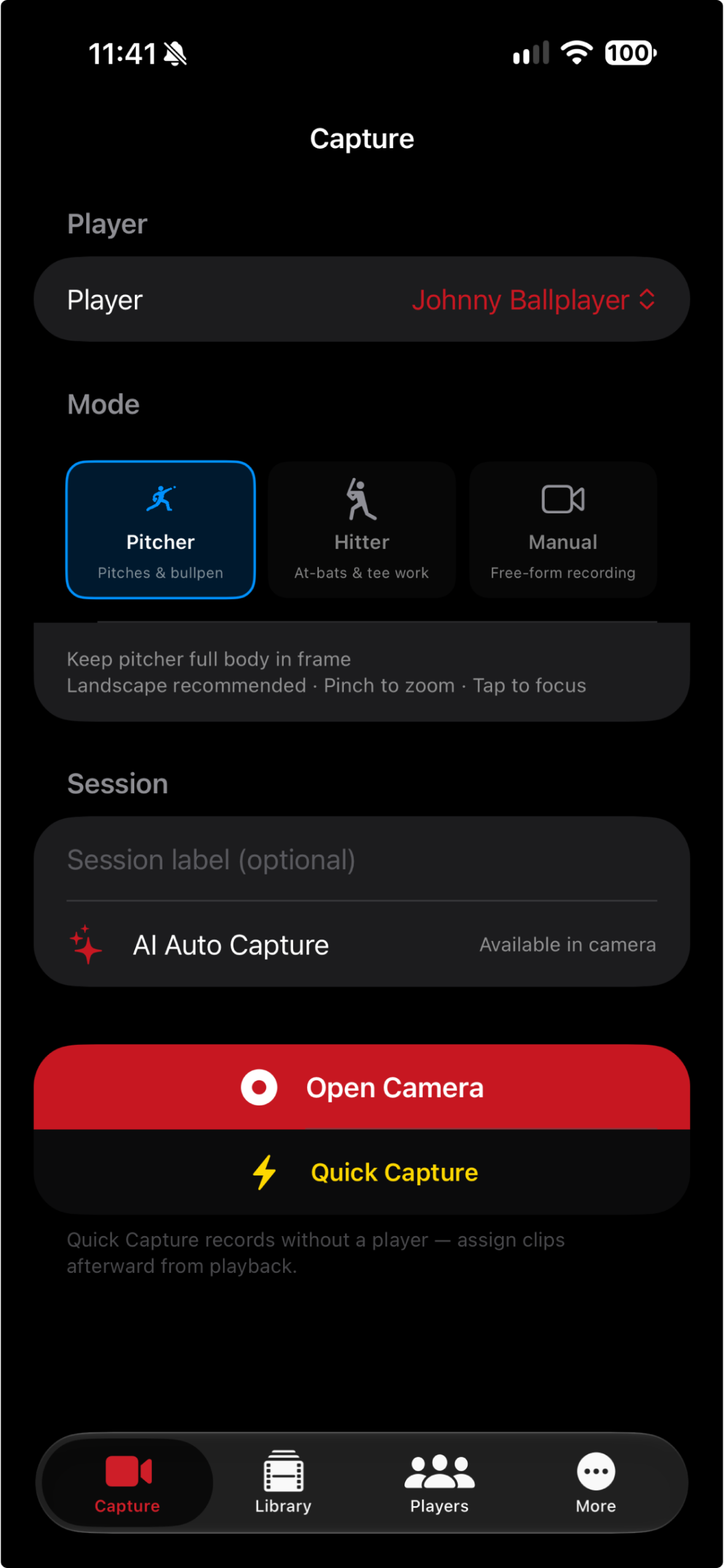
GameClip AI capture screen
AI Auto Capture Spend less time trimming and more time watching the game.
One-tap setup Choose a player and mode
Smart capture Pitching and hitting workflows
Built to share Recruiting and social exports
Designed for iPhone Capture from the ballpark
Simple at the field

From first pitch to ready-to-share.

GameClip AI keeps the recording workflow simple so you can stay focused on the player instead of fighting with a camera roll full of long videos.

STEP 01

Choose your player

Create player folders and select the athlete you are filming before the action begins.

STEP 02

Select the moment

Use Pitcher, Hitter, or Manual mode with framing guidance built for baseball.

STEP 03

Review, analyze, share

Keep clips organized, add AI coaching feedback, and prepare the best moments for coaches or social media.

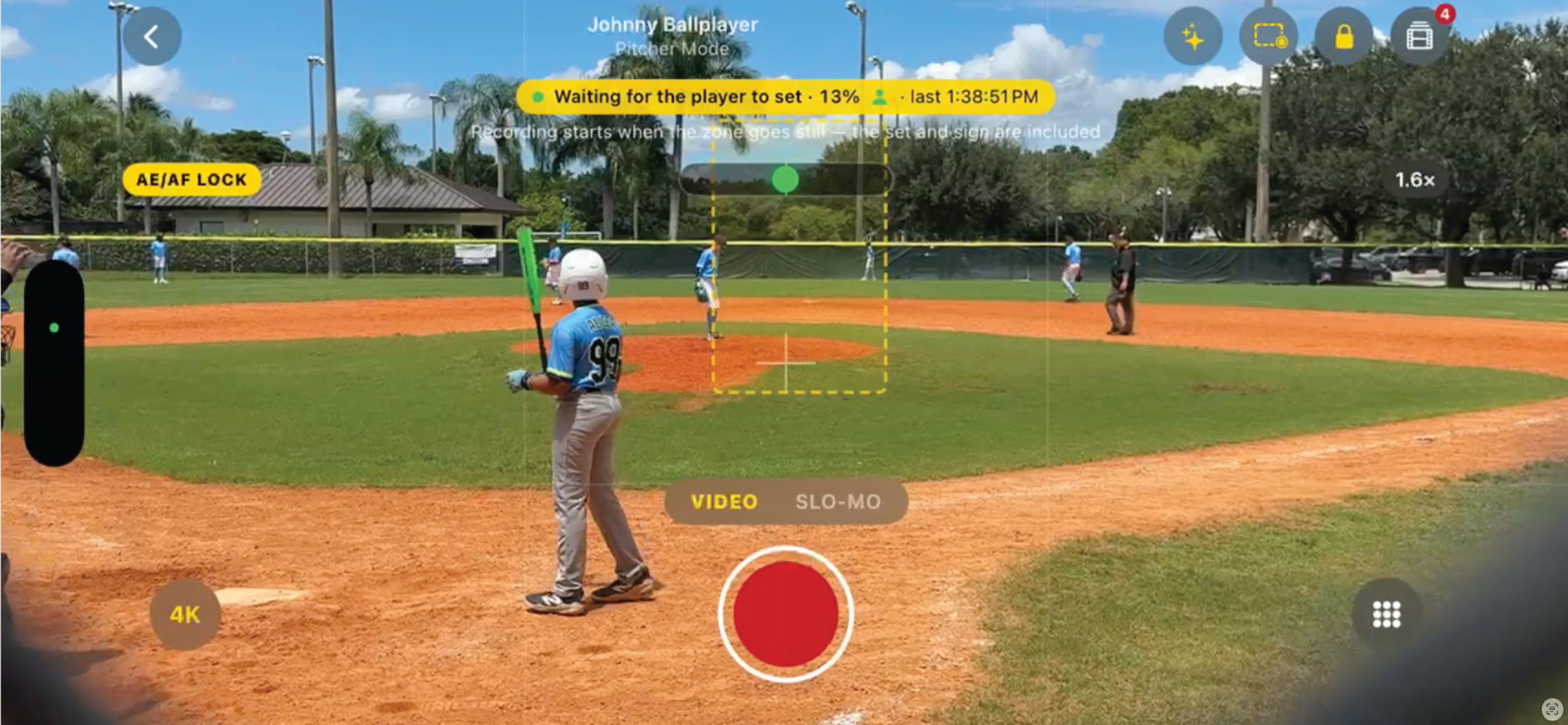
GameClip AI recording a baseball game in Pitcher Mode with on-screen framing and video controls
Real game example See the field. Capture the moment.

Pitcher Mode keeps the full game in view while putting framing guidance, focus, zoom, resolution, and frame-rate controls right on the recording screen.

Purpose-built workflow

A baseball & softball camera that knows what comes next.

Capture, clip management, player organization, team tools, and recruiting outputs work together in one iPhone app.

Capture

AI Auto Capture

Automatically identify the action around each pitch or swing and reduce the need for constant manual recording.

Camera

Smart Framing Guidance

On-screen direction helps keep the pitcher, hitter, plate, and contact zone properly framed.

Library

Organized Player Clips

Separate clips by player, session, and mode so the right moment is easy to find later.

Analysis

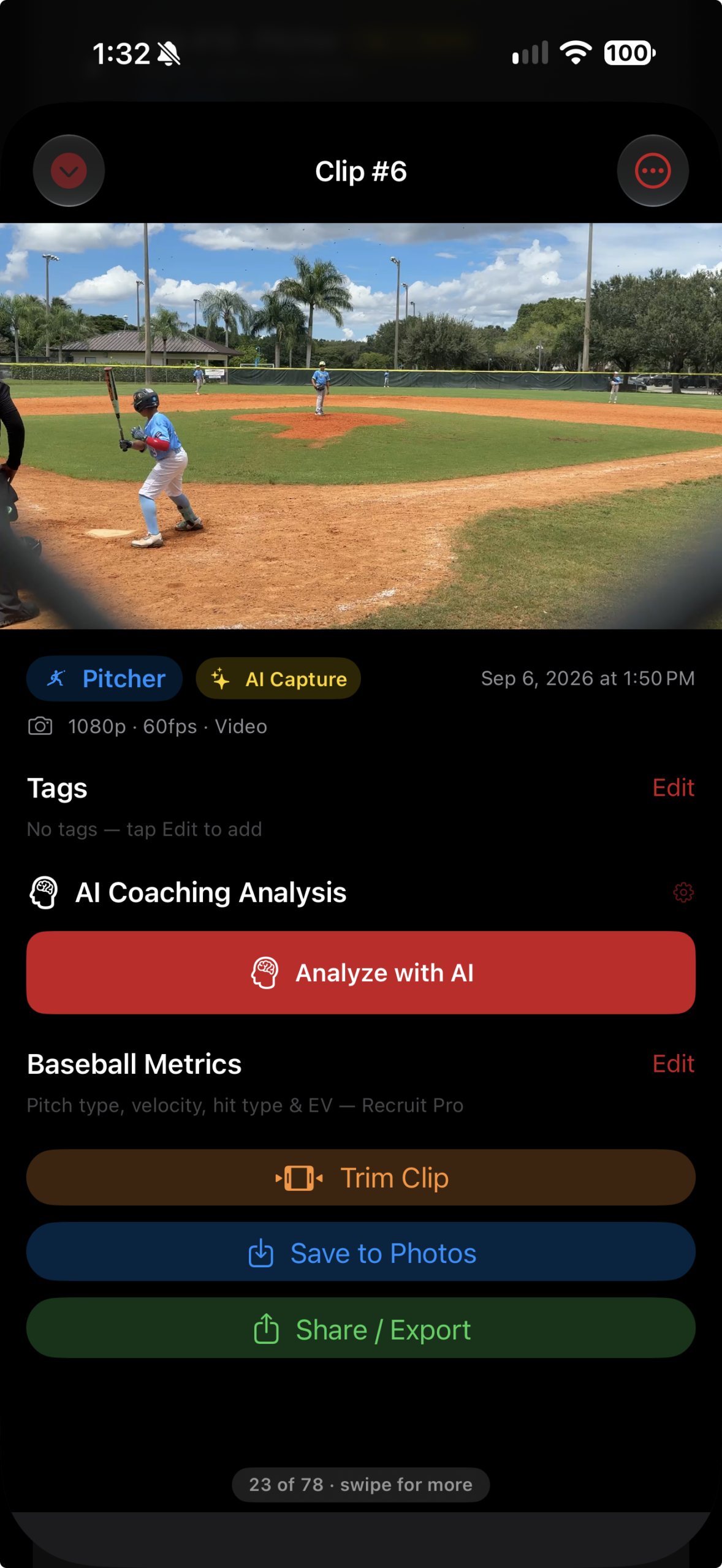
AI Coaching Feedback

Open a clip and request an analysis of pitching or hitting mechanics, saved with that clip.

Teams

Coach & Team Access

Build team rosters, organize players, support coach access, and add organization branding.

Recruiting

Ready-to-Share Exports

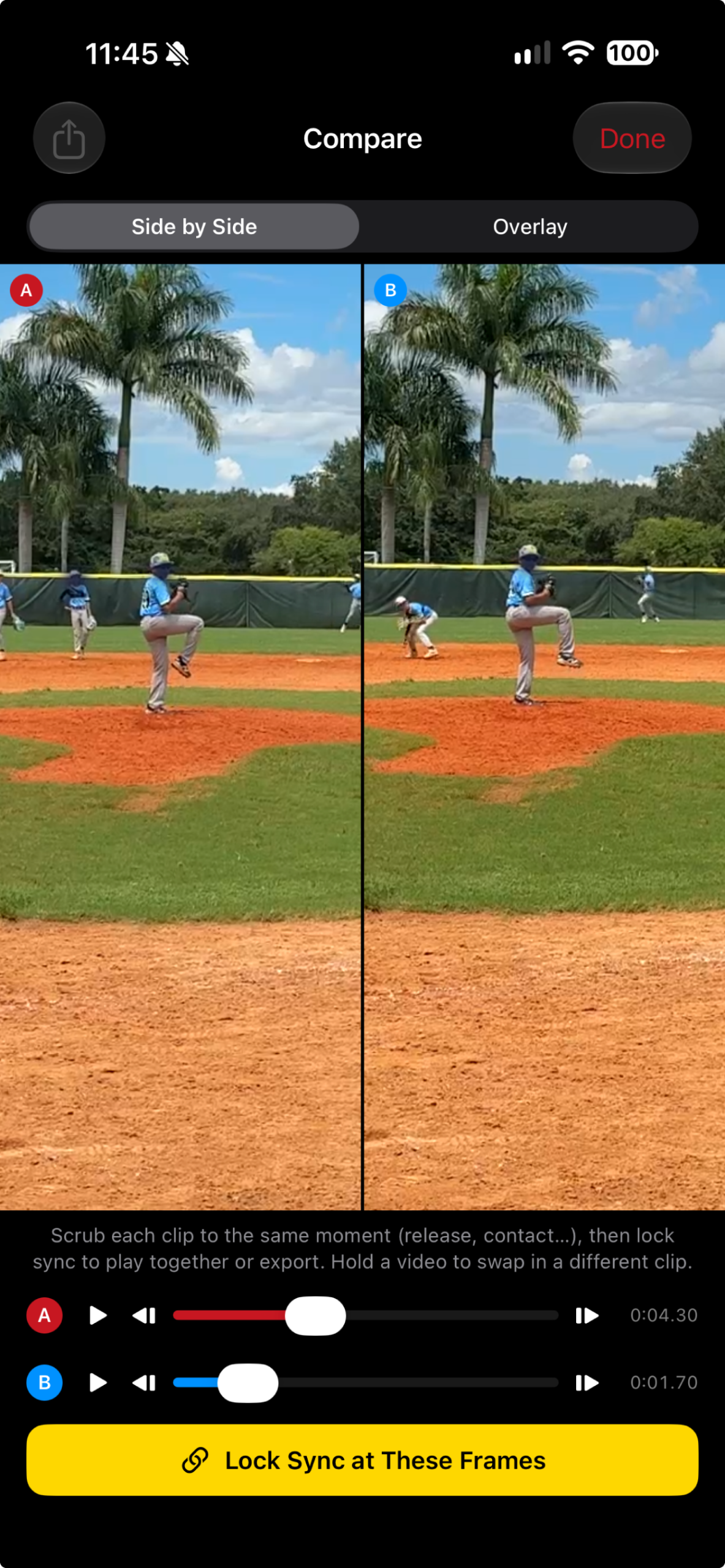
Create recruiting-friendly outputs, social captions, metrics overlays, and side-by-side comparisons.

GameClip AI player folders
GameClip AI team management
More than a camera roll

Keep every athlete and every clip organized.

Whether you film one player or manage a full roster, GameClip AI gives each athlete a clear place for their video history.

  • Player folders keep clips separated and searchable.
  • Pitcher, hitter, and manual capture modes preserve context.
  • Team plans support unlimited players and coach access.
  • Cloud tools help protect and share important video.
Inside the app

Built around the way baseball & softball is filmed.

AI video analysis

Turn a clip into a coaching conversation.

Review mechanics with instant AI-assisted feedback connected to the exact clip being analyzed. Use it to reinforce instruction, identify discussion points, and track development over time.

  • Pitching and hitting mechanics feedback
  • Analysis saved with the selected clip
  • Easy to include when sharing video
GameClip AI settings and AI analysis integration
One app, multiple roles

Made for everyone who helps a player get better.

P

Parents

Capture the game without recording every minute, then quickly find the moments worth keeping.

A

Players

Build a clean video library for development, highlights, recruiting, and social content.

C

Coaches & Teams

Organize athletes, review clips, collaborate with staff, and keep team video in one place.

R

Recruiters

Identify the best clips and prepare consistent, college-ready video with useful context.

Choose your plan

Start free. Upgrade when you need more game.

Plans and subscriptions are purchased securely inside the GameClip AI iPhone app through Apple.

Free

$0
A simple way to start capturing.
  • Manual capture
  • Player profiles
  • Basic clip library
  • Save to Photos
  • Share sheet export
Download Free

Team Plan

$99 / year
For coaches and organizations.
  • Unlimited players
  • Shared team library
  • Coach access
  • Cloud storage
  • Organization branding
Get Team Plan

Recruit Pro

$99 / year
For recruiting-focused workflows.
  • Automatic recruiting videos
  • AI best-pitch detection
  • Recruiting profile exports
  • Metrics overlays
  • College-ready video formatting
Get Recruit Pro

Pricing shown in U.S. dollars and may vary by App Store region. Subscription terms, billing, renewal, cancellation, and plan availability are managed through Apple and the GameClip AI app.

Frequently asked

Good questions. Clear answers.

No. GameClip AI is launching exclusively for iPhone and is sold only through Apple’s iOS App Store.

No. The Free plan includes manual capture, basic player organization, and standard export tools. Paid plans unlock advanced capture, team, and recruiting features.

All subscriptions are started and managed inside the iPhone app through your Apple ID. The website does not process subscription payments.

Yes. The capture workflow includes Pitcher, Hitter, and Manual modes, each with guidance suited to the type of clip you are recording.

No. AI feedback is an additional review tool designed to support development conversations. It should not replace instruction from a qualified coach or medical guidance.

The Team Plan is designed for organizations that need unlimited players, coach access, shared team tools, cloud storage, and organization branding.

Your next great clip starts with one pitch.

Download GameClip AI for iPhone and build a better baseball and softball video workflow from the first recording.

Download on the App Store
Questions or early access

Ready to capture the game smarter?

Send us a message, ask about team use, or join the launch list. Add your Gravity Form directly below this section.