Official news, product facts, screenshots and media resources for GameClip AI — the iPhone app that helps baseball and softball families and coaches capture the game and understand the motion.
What’s new
GameClip AI 2.0
Version 2.0 is the biggest update since launch. It adds:
- Game Recording — record a whole game in one continuous take, built for long runs with heat, battery and storage safeguards.
- Find My Pitches — after the game, the app suggests where each pitch happened so you can review, adjust and save them as clips.
- Mechanics — select the player and see a colored skeleton, key checkpoints such as leg lift, foot landing and release, and timing between them. Analysis runs on the iPhone.
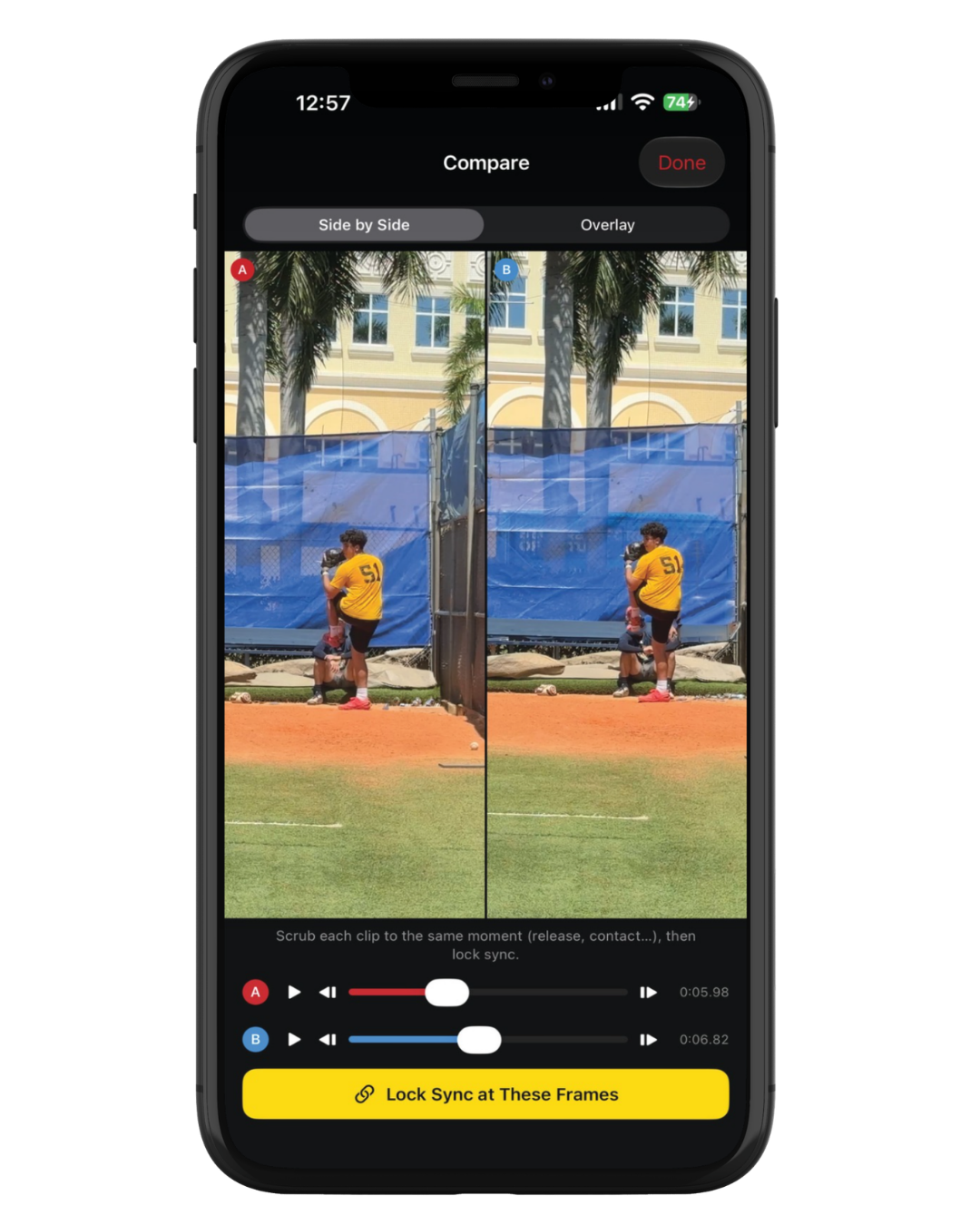
- Checkpoint comparison — line two clips up at the same moment and step through them together.
- Softball windmill pitching with its own checkpoints, alongside baseball pitching and hitting.
- Import from Photos or Files, with long videos split into plays.
- Trends and annotated exports for Recruit Pro, plus a one-week free trial for eligible new subscribers.
Mechanics results are estimates from video and depend on camera angle, frame rate and lighting. They are a tool for conversation, not a replacement for a coach.
Built from years behind the backstop
GameClip AI started with a familiar problem: a parent trying to watch the game while also recording it. Long camera-roll videos, missed starts, difficult trimming and scattered clips made it harder to keep the moments that mattered.
The answer was a camera built around the sport itself. GameClip AI combines pitcher and hitter modes, hands-free capture, full-game recording, player-based organization, mechanics review and recruiting-ready tools in one iPhone app.
“Parents should be able to experience the game, not spend every inning managing a record button.”
Quick facts
- Product
- GameClip AI
- Latest version
- 2.0
- Platform
- iPhone, iOS 18.6 or later
- Sports
- Baseball and softball
- Audience
- Players, parents, coaches, instructors and recruiting families
- Plans
- Free, Pro and Recruit Pro (subscriptions through the App Store)
- Company
- Mimble, Inc.
- Website
- gameclipapp.com
- Download
- App Store
Founder
GameClip AI was created by Michael Krasner, founder of Mimble, Inc., a technology leader and longtime baseball father who has spent years filming games, bullpens, showcases and recruiting moments.
His experience building customer-focused technology, combined with a firsthand understanding of player development and the recruiting journey, shaped an app designed around what families, coaches and instructors actually need at the field.
Why it matters
Manual Capture, hands-free Live Auto Capture, and new Game Recording, which records the whole game so the pitches can be found afterwards.
Every clip belongs to a player and a session — pitching, hitting or anything else — instead of one endless camera roll.
An on-device skeleton, key checkpoints and timing estimates help players, parents and coaches talk about mechanics, clip by clip and side by side.
Clean clips, annotated exports, highlight reels and recruiting summaries turn raw video into something worth sending.
Media assets
These screenshots may be used in editorial coverage of GameClip AI. Please keep the original proportions and don’t alter the interface or brand colors. Need a logo, founder photo, demo or another format? Ask through the contact form.
Version 2.0

Players, sessions and recent clips.
Download
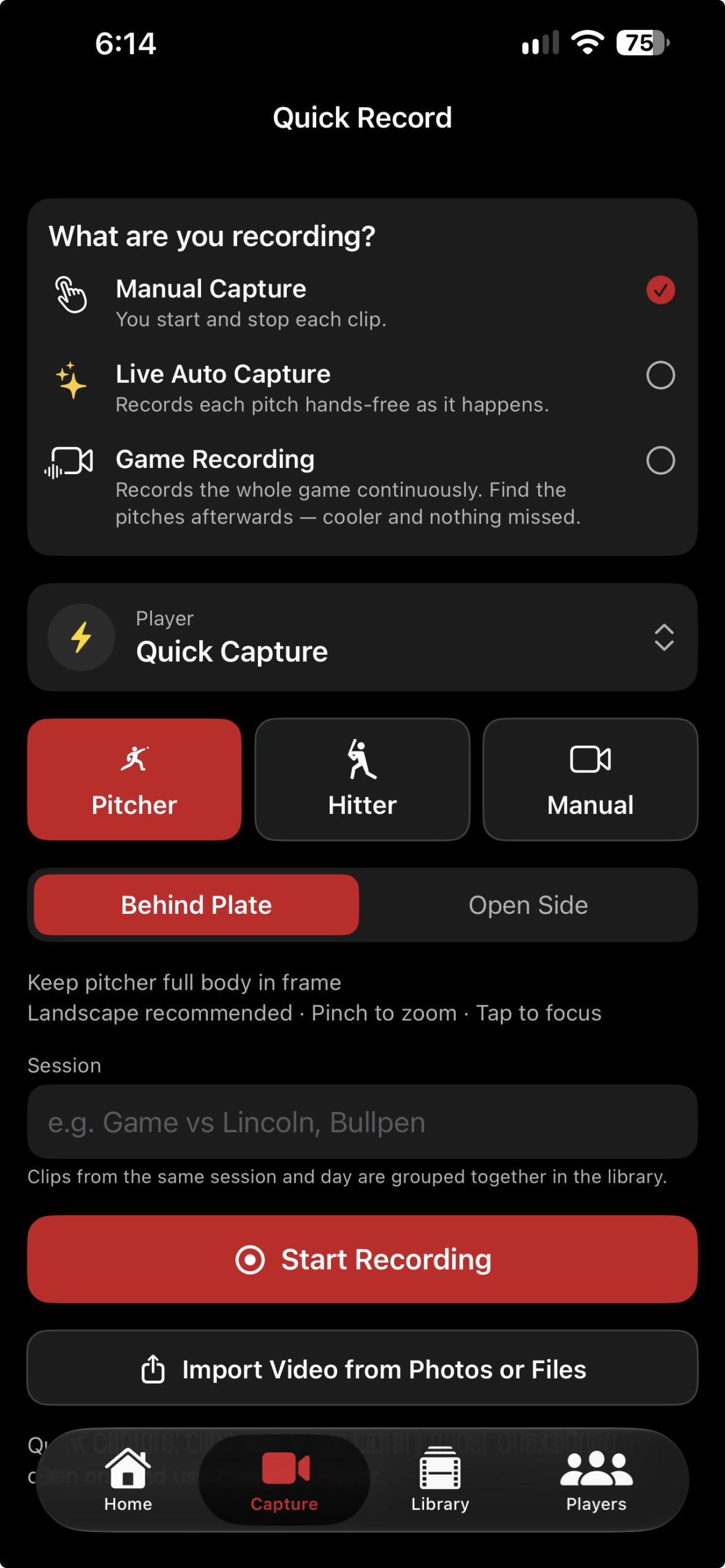
Manual, Live Auto Capture or Game Recording.
Download
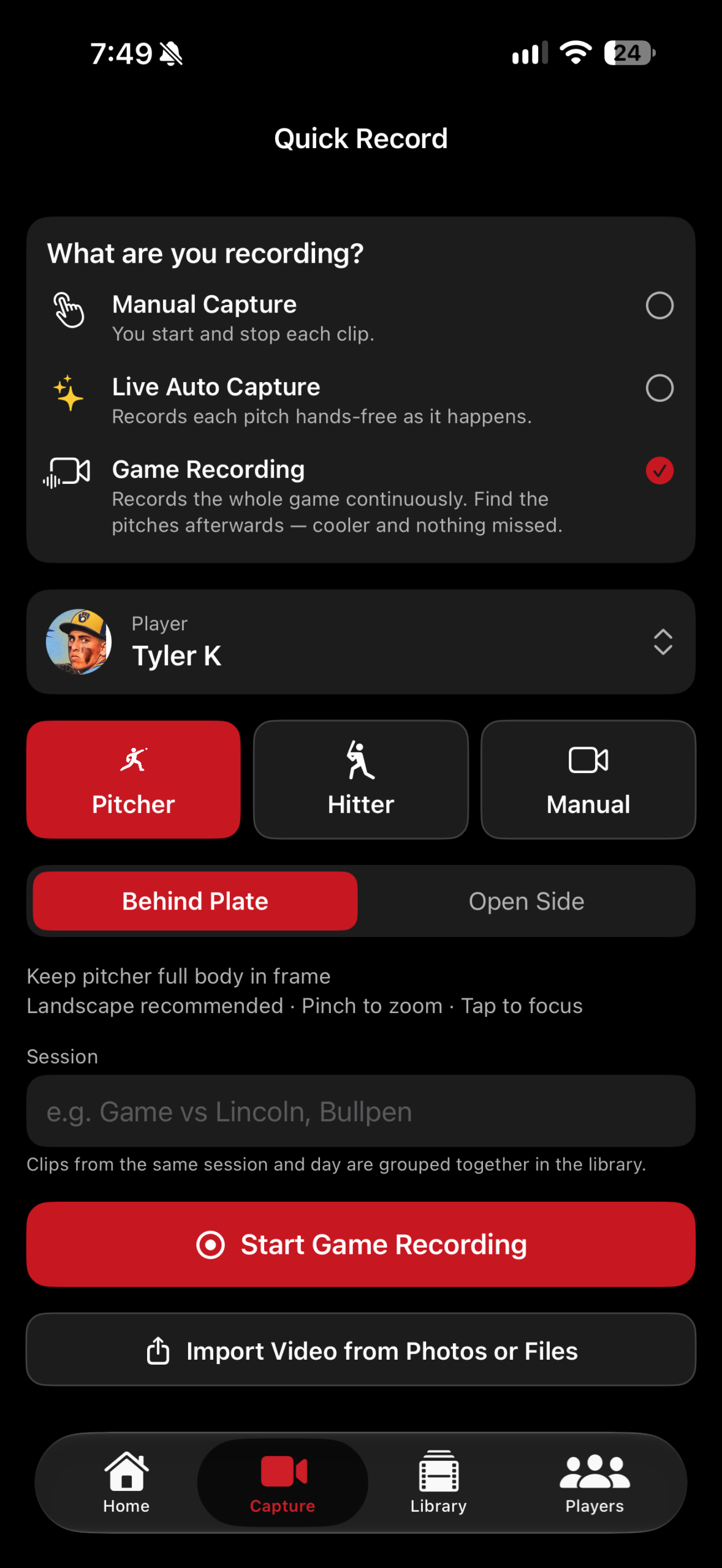
One continuous recording of the whole game.
Download
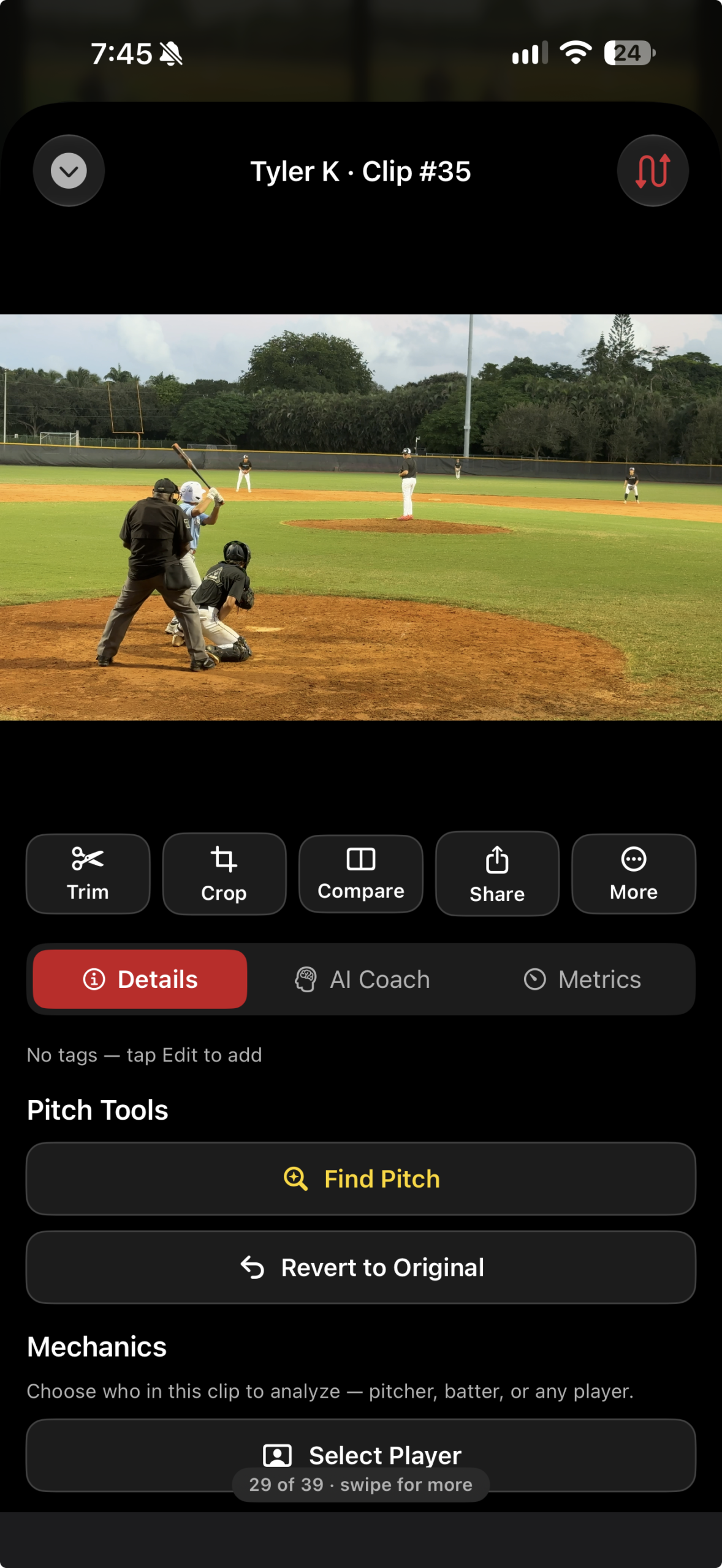
Review the pitches found in a game recording.
Download

Colored skeleton, checkpoints and timing.
Download
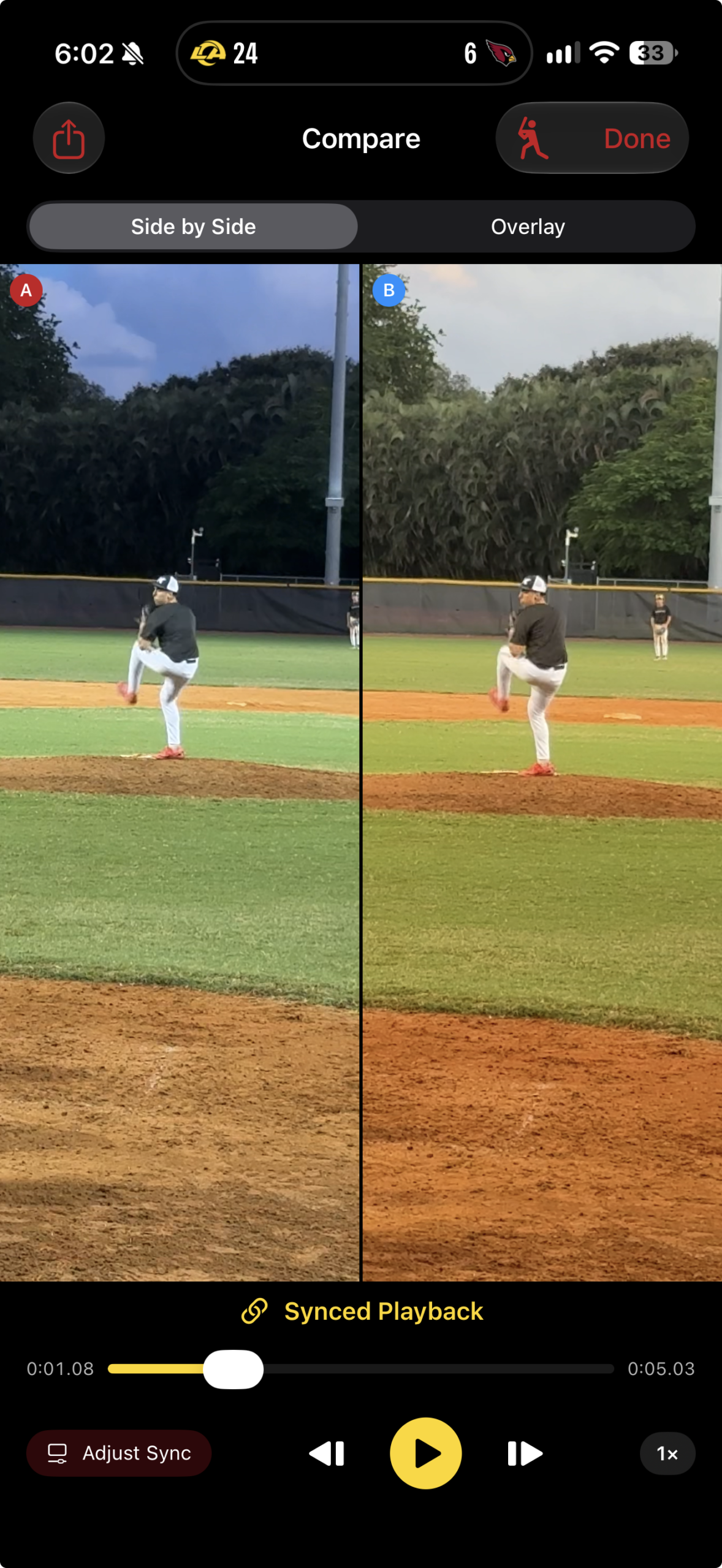
Two clips aligned at the same checkpoint.
Download
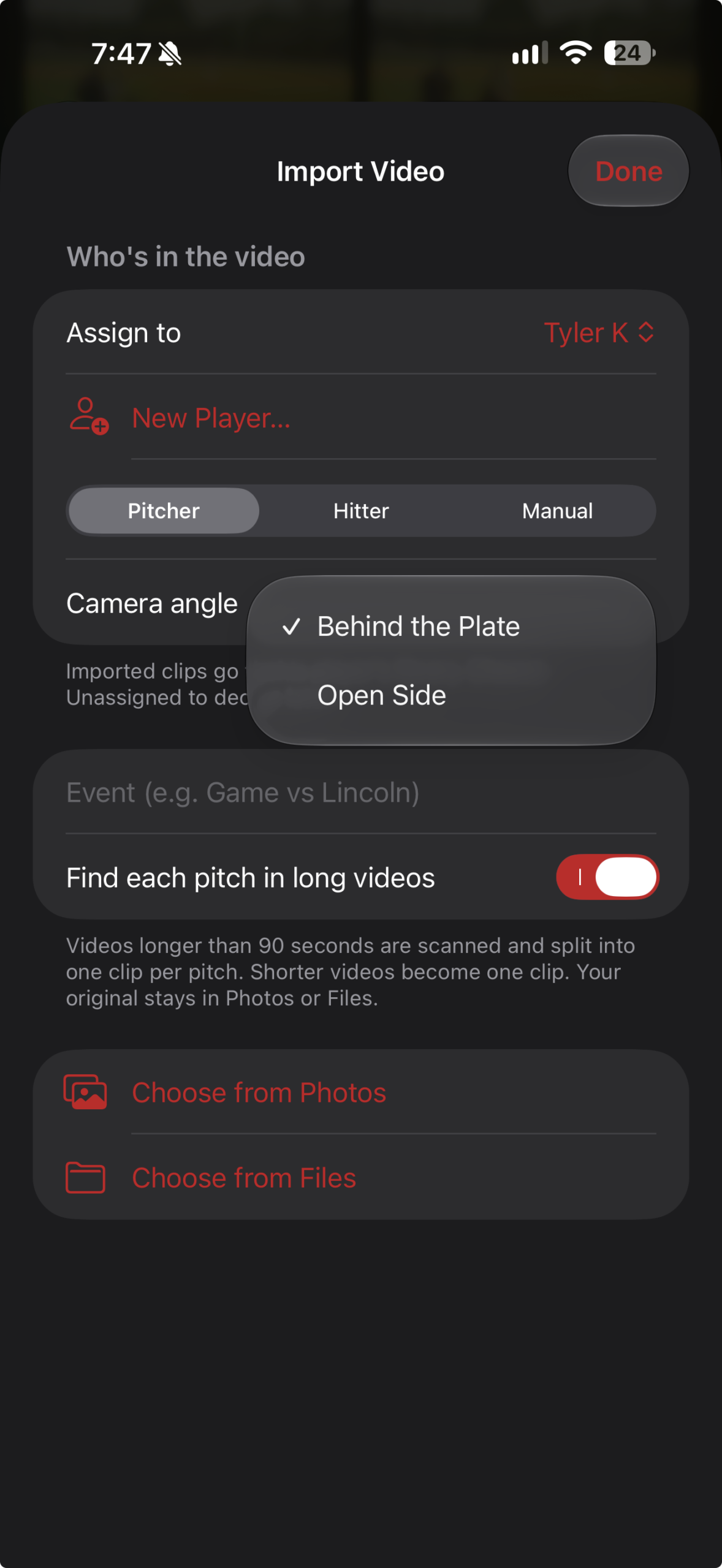
Bring in video from Photos or Files.
Download
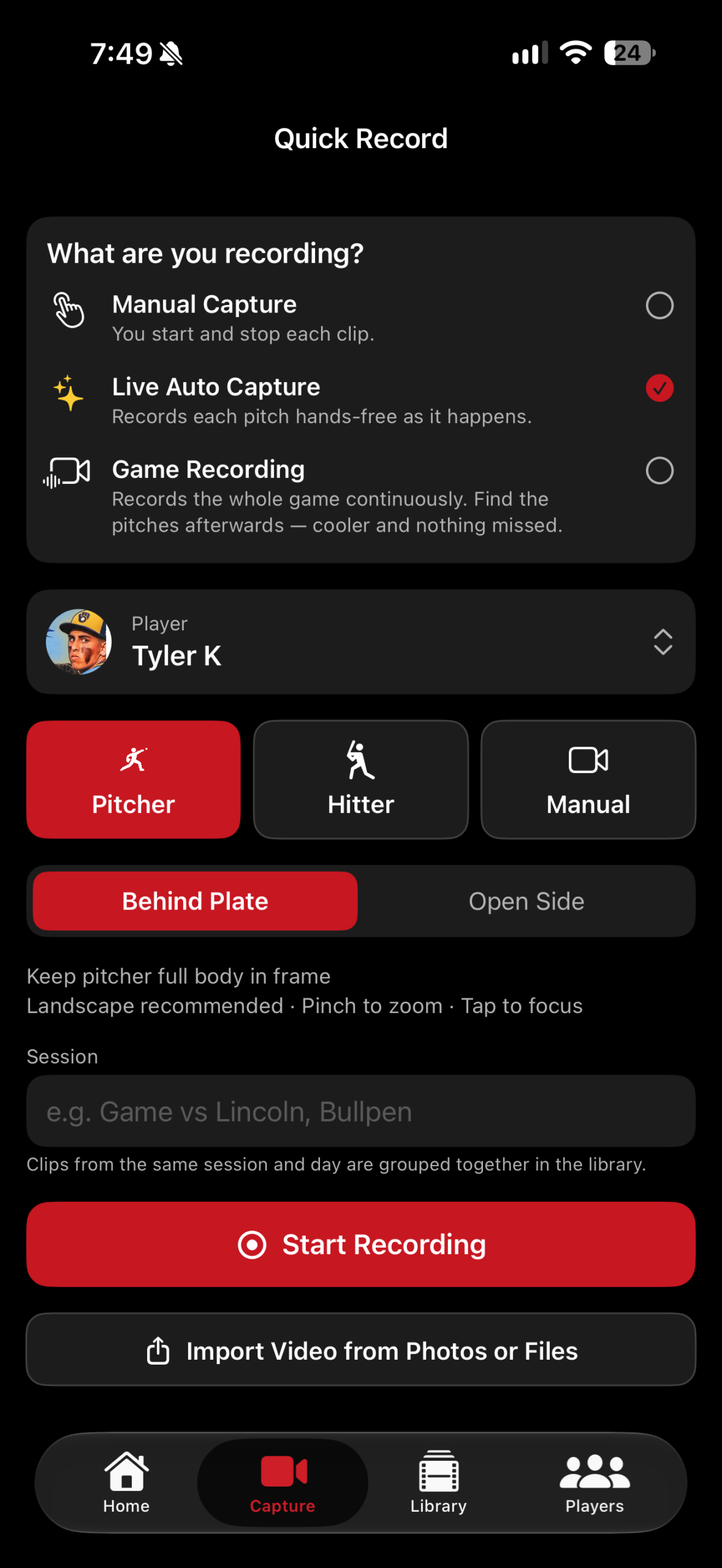
Hands-free clips as the action happens.
Download
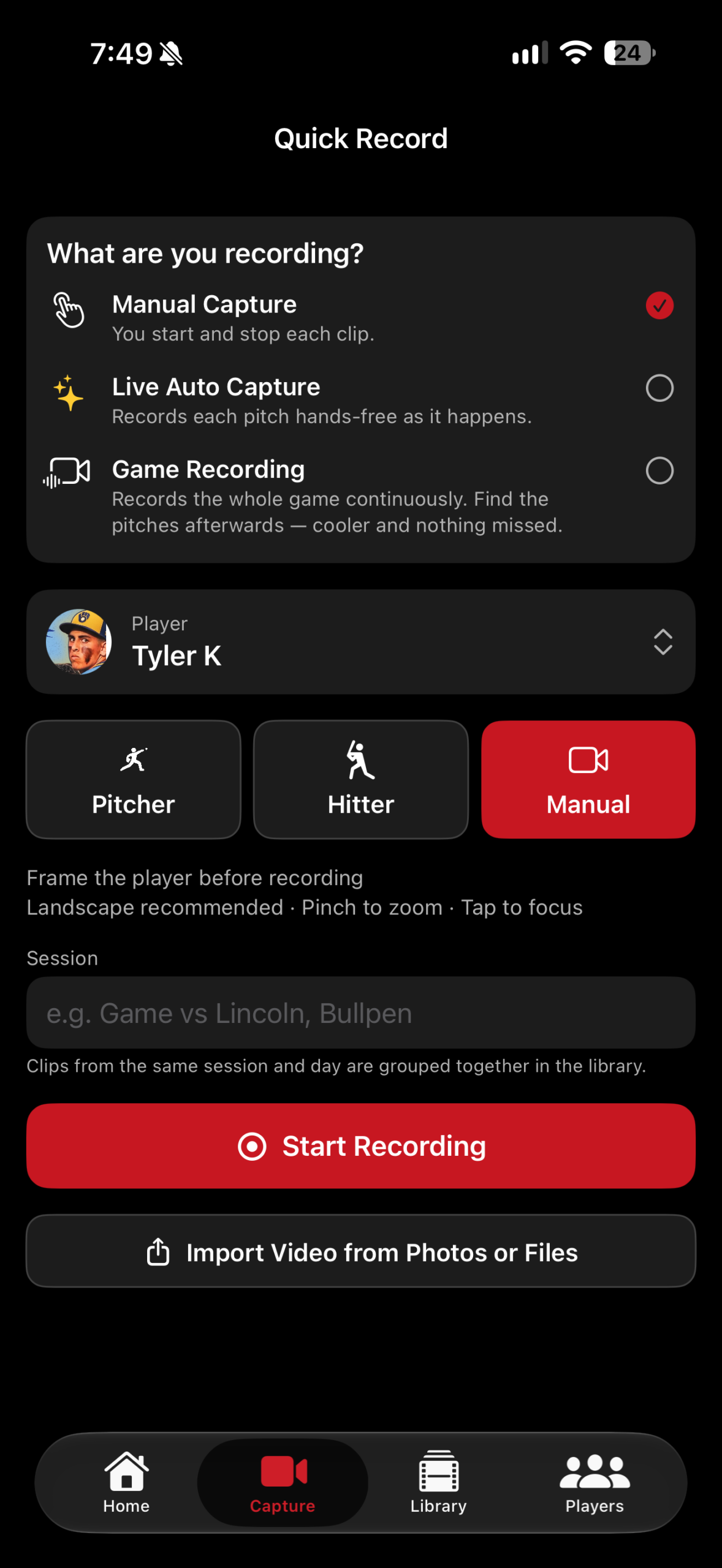
Start and stop each clip yourself.
Download
Earlier screens

Version 1 screen.
Download

Version 1 screen.
Download

Version 1 screen.
Download
Version 1 screen.
Download
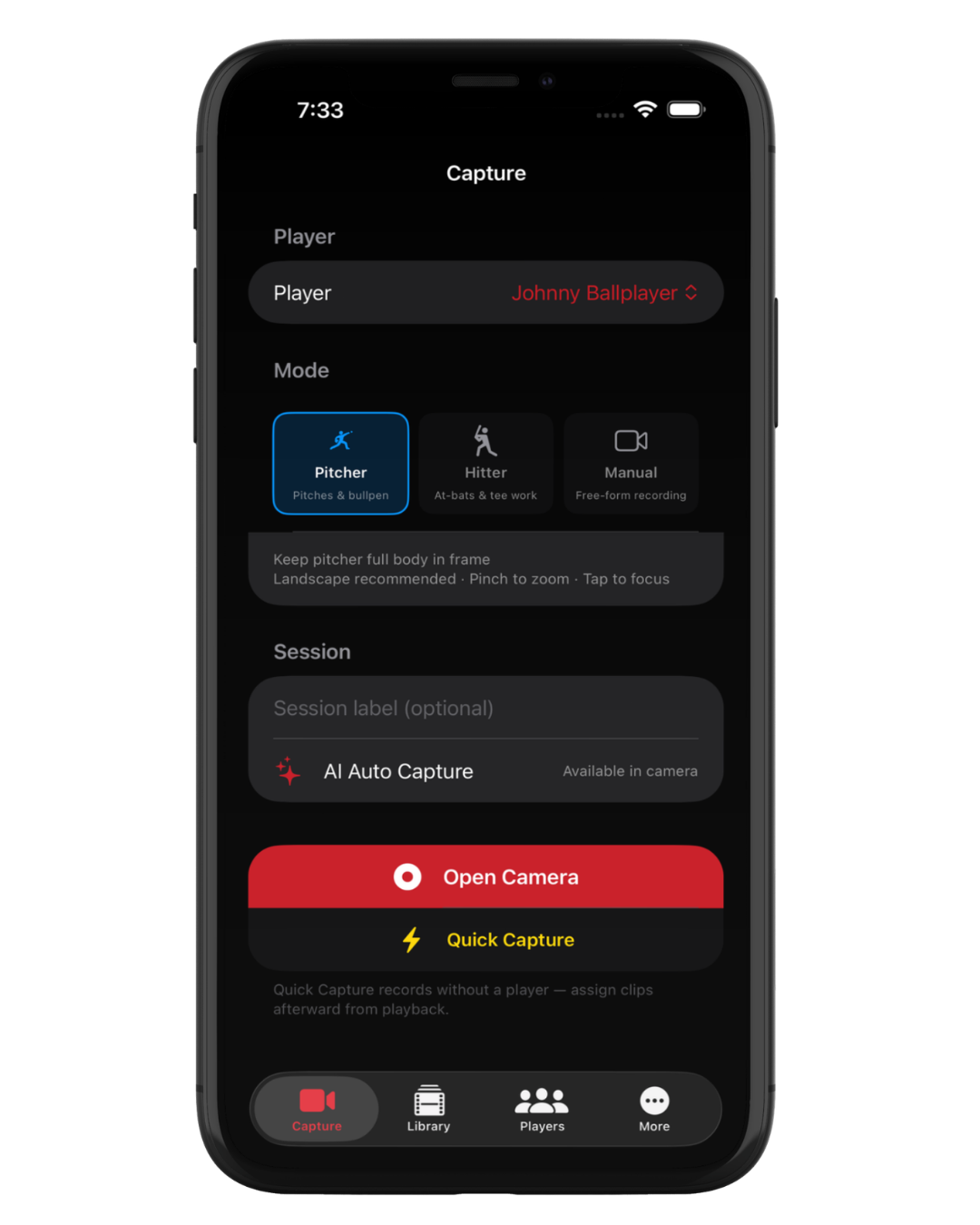
Version 1 screen.
Download
Official boilerplate
About GameClip AI
GameClip AI is an iPhone app for baseball and softball players, parents, coaches and instructors. It captures practice and game video with sport-specific modes — including hands-free Live Auto Capture and full-game recording — keeps every clip organized by player, and adds on-device mechanics review, side-by-side comparison, highlight reels and recruiting-ready exports. GameClip AI is a product of Mimble, Inc.
Media contact
For interviews, product demonstrations, additional screenshots or partnerships, use the GameClip AI contact form and choose Partnership or Media Inquiry.